Latest Release — v2.0.3

AutoClicker.AACore

Fast mouse and keyboard automation with a Classic interface, persistent color themes, and eight fully custom skin experiences.

Explore Features

Features

Everything you need for seamless automation.

🖱️

Mouse Click Automation

Left and right mouse clicks at your cursor position with intervals down to 1 ms. Precision timing for gaming or productivity.

⌨️

Keyboard Automation

Press any key or combo like E+R, Space, or custom sequences. Staggered "press separately" mode for realistic typing feel.

🎲

Random Jitter

Add configurable random millisecond offset per cycle so your automation looks human-like, not robotic.

📊

Live Statistics

Real-time counters during a run — total clicks, left/right mouse, and key presses — all updated live from the background engine.

🔑

Global Hotkey (F6)

One-key toggle start/stop from anywhere on your desktop. Works even when the app is minimized or in the background.

🎨

Classic Themes

Dark, Light, AMOLED, Midnight Blue, Forest, and Neon. Themes change colors only and always preserve the original Classic layout.

Full Custom Skins

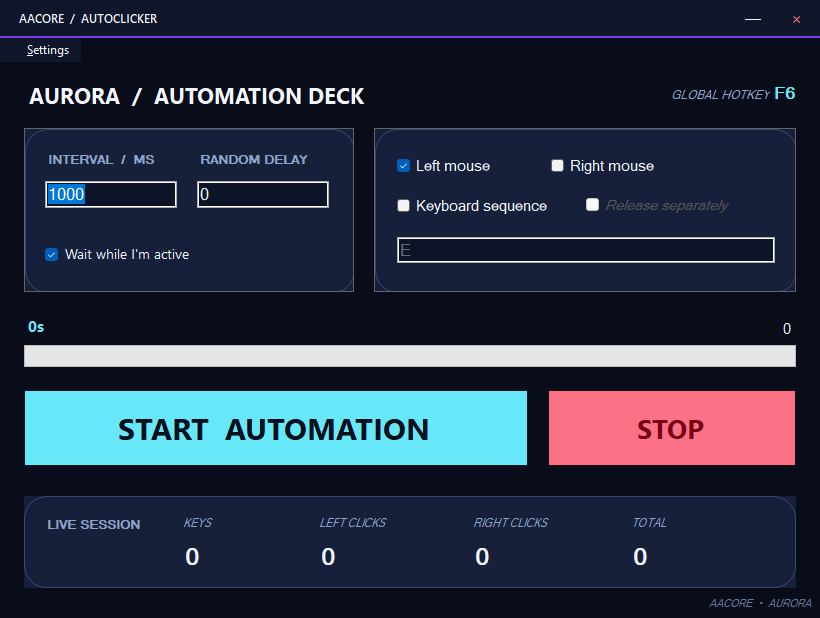
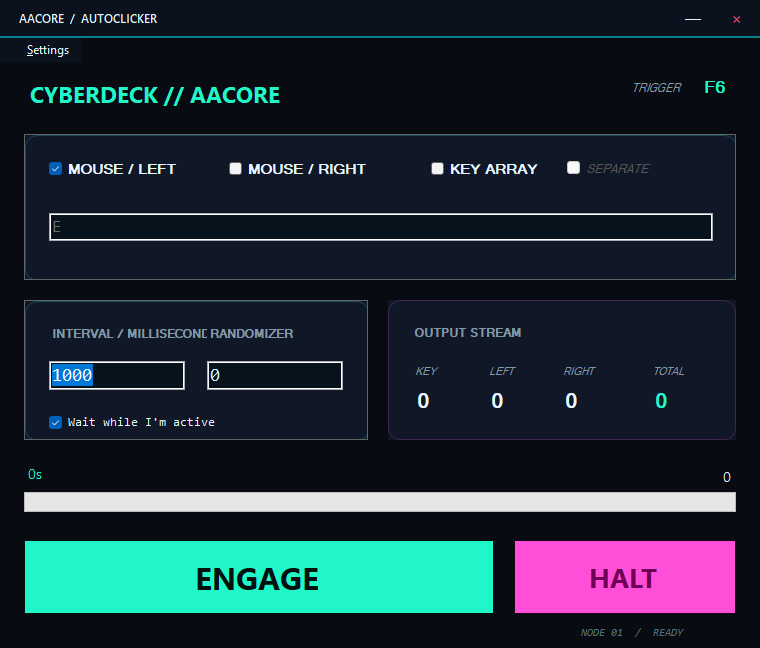
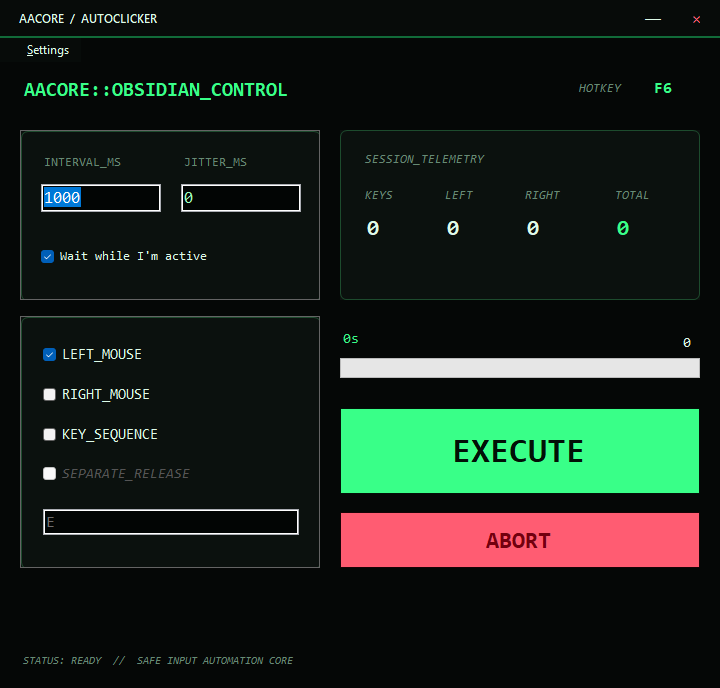
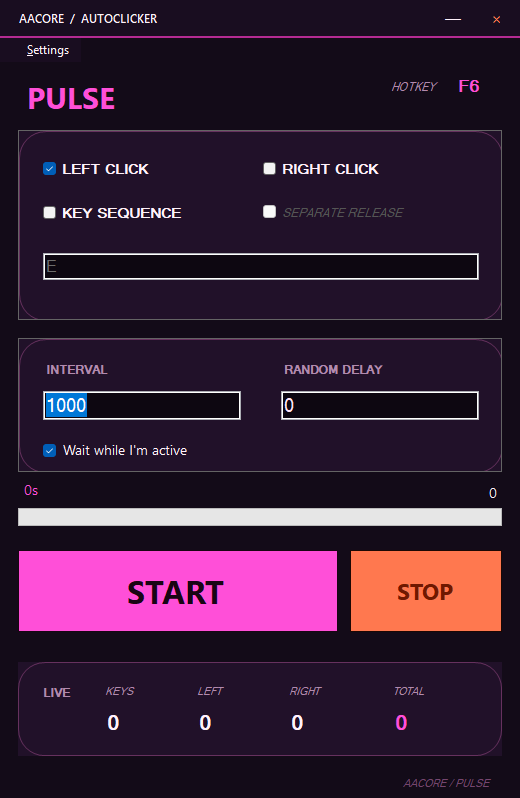
Skins can rebuild the complete UX with new layouts, hierarchy, typography, cards, rounded controls, colors, and borderless window chrome.

🌐

i18n Ready

Built-in language manager infrastructure with dictionary keys for every visible string. English-only today, ready to expand.

🔗

Thread-Safe Engine

Async Task-based clicker loop with volatile flags, lock-protected key inputs, and proper CancellationToken disposal. No leaks, no crashes.

Two independent appearance systems

Classic stays classic. Skins go further.

Themes never touch a skin, and skins never leak into Classic View. Return to Classic restores the original controls, colors, native frame, hierarchy, and dimensions.

Classic ViewOriginal UI + six color themes
Custom SkinComplete UX + borderless branded chrome
Aurora Glass custom AutoClicker skin
Aurora GlassSpacious cyan and violet dashboard
CyberDeck custom AutoClicker skin
CyberDeckAsymmetric tactical control deck
Obsidian Console custom AutoClicker skin
Obsidian ConsoleTerminal-inspired workstation
Pulse Compact custom AutoClicker skin
Pulse CompactVertical magenta command surface
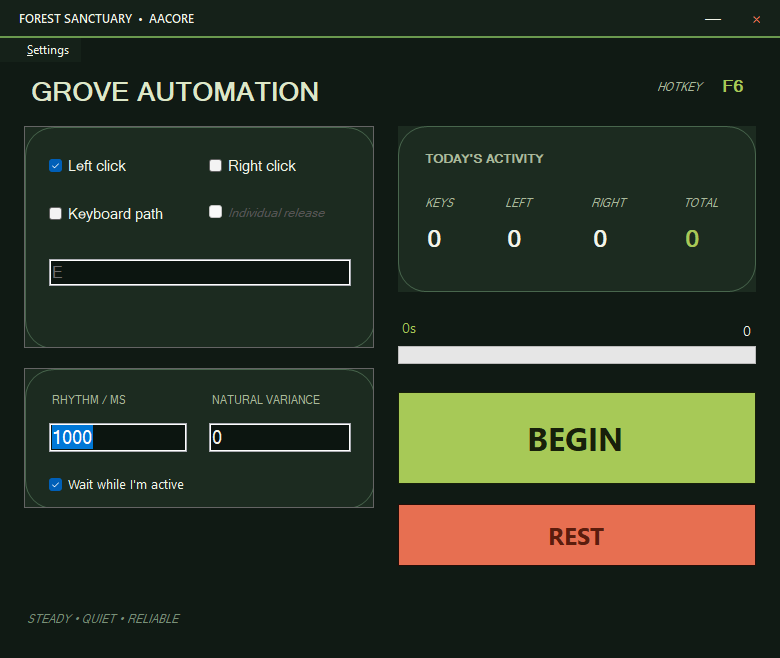
Forest Sanctuary custom AutoClicker skin
Forest SanctuaryOrganic green automation workspace
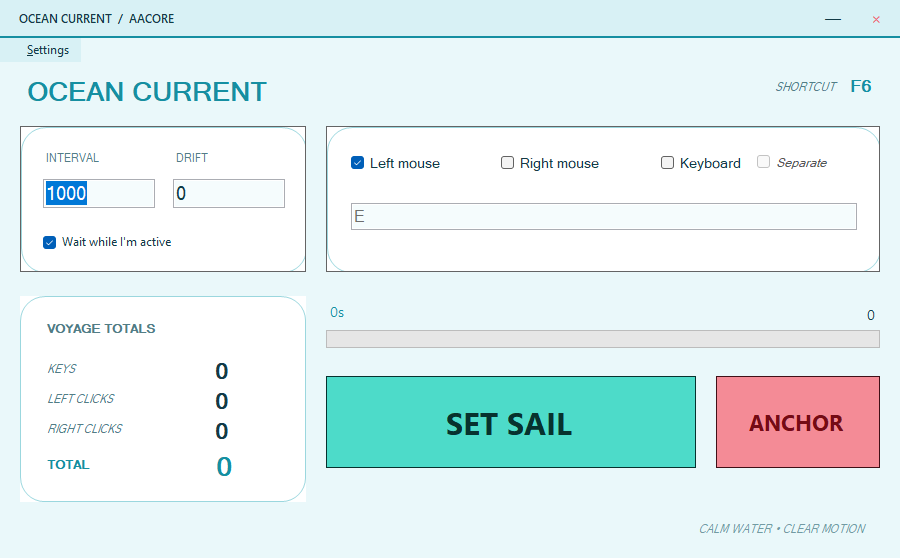
Ocean Current custom AutoClicker skin
Ocean CurrentBright aquatic wide dashboard
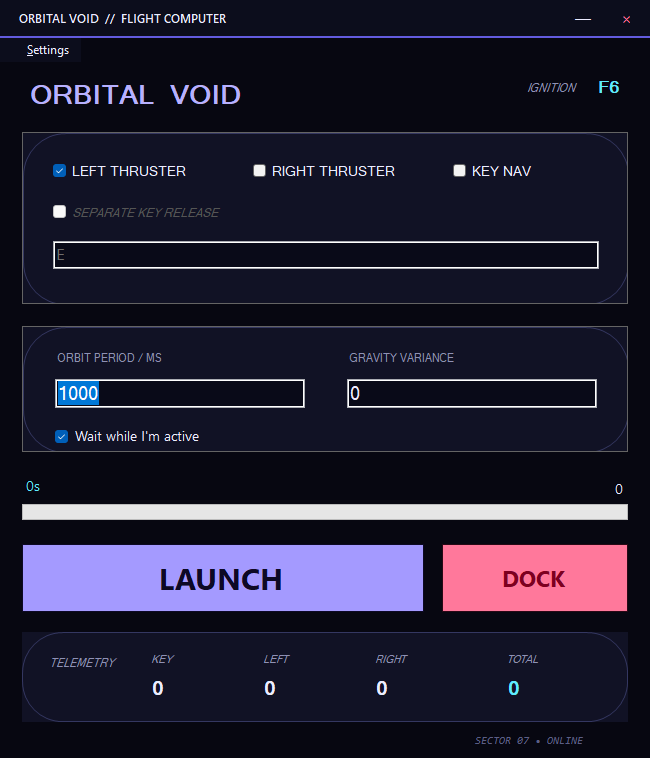
Orbital Void custom AutoClicker skin
Orbital VoidStacked spacecraft flight computer
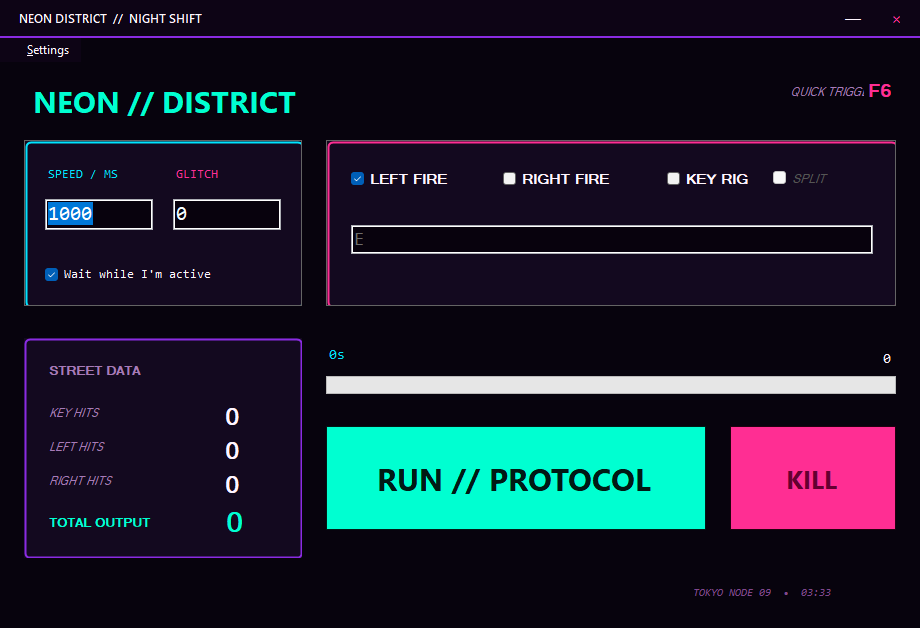
Neon District custom AutoClicker skin
Neon DistrictTrue cyan-magenta cyberpunk console
Safe by design.aaskin packages contain JSON and images only—never executable code.
Easy recoveryInstall, reload, inspect, or return to Classic from the Settings menu.
ValidatedSchema, paths, versions, file sizes, IDs, roles, and referenced assets are checked before loading.

Bug Fixes

Issues identified, diagnosed, and resolved through rigorous multi-agent code review.

🛡️ Thread Safety & Stability

🎨 UI & Designer

🔒 Security & Robustness

Current Status

What works now and what we're actively improving.

✅ Working Now

  • Auto-clicker engine (mouse + keyboard injection)
  • Thread-safe start/stop cycle with proper resource management
  • Classic View with six independent persistent color themes
  • Eight bundled full-layout skins with borderless custom chrome
  • Safe installable .aaskin package validation and automatic fallback
  • Persistent settings in %APPDATA%
  • Custom GDI+ UI controls (AAButton, AAProgressBar, AACard)
  • F6 global hotkey toggle system
  • Live statistics panel with real-time counters
  • i18n language manager infrastructure

⚠️ Known Issues / In Progress

IssuePriority
keybd_event deprecation — migrate to SendInput API Medium
UI thread updates from background tasks — missing Invoke() on stats labels & progress bar High
Settings file locking — concurrent writes can corrupt JSON; no crash recovery Medium
Hotkey unregistration on form close — currently relies on IDisposable pattern Low

Roadmap

Where we're heading next.

v1.1

SendInput Migration

Replace deprecated keybd_event with modern Win32 SendInput API for keyboard injection — better compatibility and reliability.

v1.1

Robust Hotkey Cleanup

Proper hotkey unregistration on all exit paths — graceful shutdown, crash recovery, and multi-instance conflict resolution.

v1.1

Atomic Settings Persistence

File locking + atomic writes for settings.json with backup before overwrite to prevent corruption.

v1.2

UI Thread Safety Audit

Wrap all background task → UI updates with proper Invoke() calls — eliminate thread-crossing bugs.

Future

Cross-Platform Web Version

A web-based counterpart to the desktop app — accessible from any browser on any OS.

Future

Macro Recording & Playback

Record mouse/keyboard sequences and replay them with customizable timing and conditions.

Future

Click Pattern Presets

Preset patterns for common use cases: spam click, double-tap, drag-and-drop, and more.